How to Use Presets to Speed Up Your Workflow introduces a powerful approach to enhancing productivity across various domains, such as photography, audio editing, and graphic design. By utilizing presets, users can significantly enhance their efficiency, allowing them to focus on creativity rather than repetitive tasks. This guide aims to unravel the benefits and functionalities of presets, offering insights into how they can transform your workflow.
As we delve into the world of presets, you’ll discover the essential steps to create, apply, and customize them effectively. From understanding the different types of presets available to troubleshooting common issues, this discussion will equip you with the knowledge necessary to streamline your projects and collaborate seamlessly with others.
Understanding Presets
Presets are pre-configured settings or configurations used in various fields to enhance workflow efficiency. They serve as a template that can be applied to multiple projects, allowing users to achieve consistent results with minimal effort. The use of presets is prevalent in photography, audio editing, and graphic design, where specific settings can significantly streamline the creative process.
Presets offer numerous advantages, notably in speeding up tasks that would otherwise require repetitive adjustments. By utilizing presets, users can save time, maintain consistency across their work, and focus on the creative aspects of their projects rather than the technical details. Additionally, presets allow for easy sharing of settings among team members or across different software platforms, fostering collaboration and standardizing results.
Types of Presets in Various Software Applications
Different software applications feature a range of presets tailored to their specific functions. Understanding the common types of presets can greatly enhance a user’s ability to utilize them effectively. Below are some prevalent categories of presets across selected fields:
- Photography Presets: These are often used in software like Adobe Lightroom or Photoshop, providing one-click solutions for color corrections, exposure adjustments, and stylistic enhancements. Popular presets may emulate film effects, vintage styles, or high-contrast looks, enabling photographers to quickly achieve their desired aesthetic.
- Audio Editing Presets: In programs such as Pro Tools or Adobe Audition, audio presets can streamline mixing and mastering processes. These may include equalization curves, compression settings, or reverb levels that produce balanced sound. With these presets, users can maintain a uniform sound quality across various tracks.
- Graphic Design Presets: Software like Adobe Illustrator or CorelDRAW often includes graphic styles and effects presets. These allow for instant application of color schemes, font styles, and visual effects, enabling designers to rapidly generate appealing graphics without starting from scratch each time.
Incorporating presets into professional workflows not only optimizes productivity but also enhances the quality of the output. It is essential for users to explore and experiment with different presets to find the configurations that best suit their creative intentions. Understanding the various types of presets available can empower users to take full advantage of their software’s capabilities.
Setting Up Presets
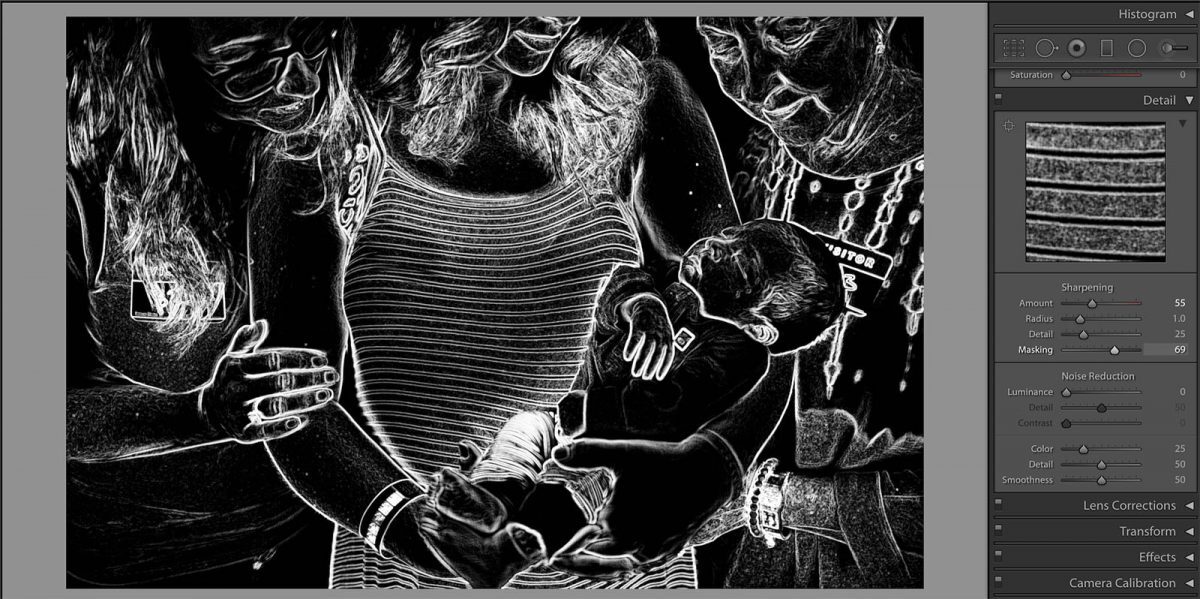
Creating and managing presets can significantly enhance your workflow efficiency. This section Artikels the necessary steps to set up custom presets, import existing ones, and effectively organize them for ease of access.
Creating Custom Presets
Establishing custom presets in popular software allows for tailored workflows that meet specific project needs. The process generally involves the following steps:
- Open the software and navigate to the settings or preferences menu.
- Locate the section dedicated to presets, typically found under the tools or editing options.
- Select ‘Create New Preset’ or a similar option, which will prompt you to configure various settings. Adjust these settings according to your requirements.
- Once satisfied with the configurations, provide a descriptive name for your preset to easily identify it later.
- Save the preset, ensuring it is stored in an accessible location within the software.
Importing Existing Presets
Importing existing presets can save time and provide inspiration for your own creations. Follow these steps to import presets into your software:
- Access the presets menu from the settings or preferences section.
- Look for an option labeled ‘Import Preset’ or ‘Load Preset.’
- Navigate to the location where your preset files are stored. These files may be in formats specific to the software.
- Select the desired preset files you wish to import.
- Confirm the import action, and the presets should now be available for use in your projects.
Organizing Presets for Easy Access
Effective organization of presets is crucial for maximizing productivity. The following tips can help streamline your workflow:
“A well-organized preset library can save considerable time and effort in creative projects.”
Establish a systematic method for categorizing presets:
- Create folders based on project type, function, or style to categorize your presets logically.
- Name presets consistently, utilizing a standard naming convention that includes s related to their function or usage.
- Remove outdated or unused presets periodically to maintain a clean and efficient workspace.
- Consider using color-coding or tagging systems if available in the software to visually differentiate between preset types.
Applying Presets Effectively
Applying presets effectively can significantly enhance efficiency in various tasks, particularly in creative fields such as photography, video editing, and graphic design. By utilizing presets, users can execute repetitive tasks swiftly, allowing them to focus more on creativity and less on the technicalities of the workflow.To apply presets effectively means not just to use them, but to understand the scenarios in which their application can yield the best results.
Various repetitive tasks lend themselves well to preset application, streamlining processes and minimizing time spent on manual adjustments. For instance, in photography, applying a color correction preset can standardize the look of a series of images taken under similar lighting conditions, ensuring consistency across the project.
Streamlining Repetitive Tasks
In many creative processes, repetition is a common challenge. Presets can help speed up workflows by allowing users to apply a set of predefined adjustments to multiple items at once. This is particularly useful in situations where consistent results are required across a range of outputs.The following scenarios illustrate where presets can save time and increase productivity:
- Batch Processing Images: When editing a large number of photos, applying a single preset to adjust exposure, contrast, and saturation across all images can drastically reduce editing time. For example, a photographer might use a “Daylight” preset on all outdoor images, ensuring uniformity in color temperature.
- Video Editing: In video production, applying a color grading preset to a series of clips can not only enhance visual appeal but also maintain a cohesive look throughout the project. A preset designed for a ‘Cinematic’ look can transform standard footage into a polished piece with minimal adjustment.
- Graphic Design: In design work, using a preset for typography styles or color palettes can accelerate the design process. This is especially true when creating marketing materials where branding consistency is critical.
Utilizing presets not only serves to enhance productivity but also allows for exploration of creative possibilities. By comparing the results of employing presets versus manual adjustments, one can observe notable differences in efficiency and outcome quality.
“Presets allow for a balance between efficiency and creativity, enabling artists to maintain their unique style while saving valuable time.”
For instance, a project that typically requires extensive time for manual adjustments—like fine-tuning color levels, brightness, and contrast—can be completed in a fraction of the time using presets. In a side-by-side comparison, a project edited manually may take several hours, while the same project, utilizing well-chosen presets, could be finalized in less than an hour.In summary, the effective application of presets can transform workflows by automating repetitive tasks, enabling greater focus on creative aspects, and ultimately leading to a more efficient and productive output.
Modifying and Customizing Presets
Modifying and customizing presets is an essential skill for maximizing efficiency and achieving specific outcomes in your projects. By tailoring presets to your unique requirements, you can enhance your creative process and ensure that the results align with your vision. This section will explore how to modify existing presets, create hybrid presets by combining multiple options, and provide examples where customization is key for optimal performance.
Modifying Presets to Fit Specific Needs
To modify presets effectively, it is critical to understand the elements that make up a preset within your software. Consider the following steps to adjust settings according to your specific needs:
- Access the Preset Settings: Open the preset management interface in your software, which typically lists all available presets.
- Select the Desired Preset: Choose the preset that closely resembles your intended outcome as a starting point for modification.
- Adjust Parameters: Modify the settings such as contrast, brightness, saturation, or any other available controls to better fit your project requirements. This process may involve subtle tweaks or significant changes, depending on your desired effect.
- Save Changes: Once you have made the necessary adjustments, save the modified preset under a new name to differentiate it from the original.
Creating a Hybrid Preset by Combining Multiple Presets
Hybrid presets leverage the strengths of multiple presets to create a unique effect or functionality. To combine presets effectively, follow these steps:
- Choose Base Presets: Identify two or more presets that you find effective for different aspects of your project. For example, one preset may enhance color grading while another improves sharpness.
- Layering Effects: Apply the base preset first, and then sequentially add the other preset(s) while adjusting settings at each stage to ensure they complement rather than conflict with each other.
- Fine-Tune Overall Effect: Review the combined effect and make necessary adjustments. Focus on parameters such as intensity and blending to achieve a cohesive look.
- Save as Hybrid Preset: Once satisfied with the outcome, save this new amalgamated preset for future use, ensuring it is distinct from the originals.
Examples of Necessary Customization for Better Results
Customizing presets may be crucial in various scenarios to enhance the final output. Here are examples that underscore when and why customization is vital:
- Adapting to Different Lighting Conditions: A preset designed for bright daylight may not yield the desired results in low-light environments. Customization helps adjust exposure and color temperature to match the lighting conditions.
- Tailoring for Specific Subjects: A portrait preset may need adjustments when applied to landscapes or product photography. Modifying the preset can enhance the features relevant to the subject, such as sharpening details in product images or softening skin tones in portraits.
- Aligning with Creative Vision: Sometimes, a preset may not fully encapsulate your artistic intent. Customizing various settings allows you to pursue your unique style and preferences, resulting in a more personal and impactful final product.
“Customization transforms a standard preset into a powerful tool that reflects your individual creativity and meets the specific demands of each project.”
Troubleshooting Preset Issues
When utilizing presets, users may encounter various challenges that can hinder their workflow. Identifying these common issues and understanding how to troubleshoot them is essential for maintaining an efficient creative process. This section will address frequent problems associated with presets and provide practical solutions to enhance your experience.
Common Problems with Presets
Several issues may arise when applying presets, leading to unexpected results or difficulties in usage. Recognizing these problems is the first step toward effective troubleshooting.
- Presets Not Applying Correctly: Often, users experience situations where presets do not seem to take effect. This can stem from conflicts with other adjustments or the specific settings of the project.
- Inconsistent Results: Presets may yield different outcomes depending on the image or video content. Variations in lighting, color, and detail can alter the effectiveness of a preset.
- Compatibility Issues: Some presets may not work properly due to version discrepancies in software or plugins. Ensuring compatibility is crucial for successful application.
Troubleshooting Presets
If a preset does not produce the expected results, several steps can be taken to identify and resolve the issue. Implementing these strategies can help users restore functionality and achieve desired outcomes.
- Check for Conflicting Adjustments: Review any modifications made to the project after applying the preset. Other adjustments may interfere with how the preset functions.
- Reapply the Preset: Sometimes, simply removing and reapplying the preset can resolve the problem. This action ensures the preset is properly activated.
- Examine Compatibility: Ensure that the preset is compatible with the current software version. Updating the software or the preset may address discrepancies.
Best Practices for Managing Presets
To minimize issues with presets, effective management and maintenance practices are recommended. Following these guidelines can enhance the longevity and performance of your presets.
- Organize Presets Logically: Group presets by type, purpose, or project to streamline access and application.
- Regularly Update Presets: Maintain the relevance of presets by routinely reviewing and updating them to align with new techniques or software enhancements.
- Create Backup Copies: Store backup copies of presets in a secure location, ensuring that valuable settings are not lost if issues arise.
- Document Custom Modifications: Keep a record of changes made to presets, allowing for easy reversion to original settings if needed.
Sharing and Collaborating with Presets
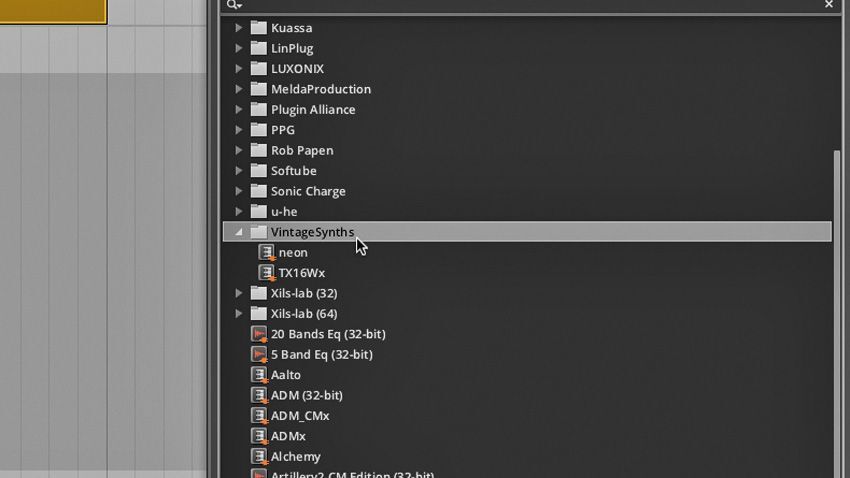
In the realm of creative work, the ability to share presets efficiently can significantly enhance collaboration among team members and clients. When individuals can access and utilize the same presets, it fosters a more cohesive workflow and ensures consistency across projects. This section will delve into the various methods of sharing presets, the benefits of collaboration through shared assets, and the importance of documenting the use and functions of these presets.
Methods for Sharing Presets
Sharing presets can be accomplished through various platforms and methods that facilitate easy access for all users involved in a project. Utilizing these methods ensures that everyone is on the same page, working with the same tools and settings.
- Cloud Storage Solutions: Services such as Google Drive, Dropbox, or OneDrive allow users to upload presets and share them with team members or clients. This method ensures that the latest versions are always accessible.
- Email Sharing: Presets can be packaged into a compressed file and sent via email. While effective for smaller teams, it may lead to version control issues if not managed properly.
- Collaboration Tools: Platforms like Slack or Microsoft Teams enable sharing presets directly within the workspace, allowing for real-time discussions and feedback.
Benefits of Collaboration Through Shared Presets
Collaboration through shared presets offers numerous advantages that can enhance project outcomes. Utilizing the same presets allows teams to maintain a uniform style and workflow, promoting efficiency.
- Consistency in Output: When all team members use the same presets, it results in a consistent look and feel across all deliverables, which is crucial for brand identity.
- Time Efficiency: Shared presets reduce the time spent on setup and adjustments, allowing team members to focus on creative aspects of their work.
- Enhanced Feedback: Collaboration becomes easier as team members can provide specific feedback on the same preset settings, leading to more informed decisions and improvements.
Documenting Shared Presets
To maximize the effectiveness of shared presets, proper documentation is essential. Clear documentation helps team members understand how to use presets effectively and leverage their full potential.
- Descriptive Names: Name presets clearly and descriptively to indicate their purpose and application, which aids in quick identification.
- User Guides: Create concise user guides or notes that explain the functions and intended use of each preset, including any specific settings or adjustments that should be considered.
- Version Control: Maintain a log of updates and changes to presets, ensuring that all team members are aware of the most recent versions and modifications.
“Effective collaboration through shared presets not only improves workflow efficiency but also enhances the overall quality of the creative output.”
Future Trends in Preset Usage
As technology continues to advance, the way presets are created and utilized in various workflows is evolving. Emerging trends indicate that future developments will significantly enhance the functionality and applicability of presets across different platforms. This overview will explore potential technological innovations and software features that may reshape the landscape of preset usage.
Emerging Technologies Influencing Presets
The integration of advanced technologies is likely to transform how presets are developed and applied. Key areas of innovation include:
- Artificial Intelligence: AI algorithms are increasingly being incorporated into creative software, enabling automated adjustments based on user preferences and project specifics. For instance, AI can analyze past projects to suggest optimal presets, enhancing personalization and efficiency.
- Machine Learning: As machine learning becomes more prevalent, presets will adapt in real-time, learning from user behavior and project outcomes. This could lead to dynamic presets that automatically modify themselves based on contextual cues, making workflows more fluid.
- Cloud Computing: With the rise of cloud technology, presets can be stored and accessed from various devices. This allows for seamless collaboration among teams, where team members can share and modify presets in real time, regardless of their location.
Potential New Features in Software
The future of presets is closely tied to software enhancements that will provide users with greater control and flexibility. Anticipated features include:
- Advanced Customization Options: Software updates may introduce more granular controls, enabling users to tweak individual elements of a preset rather than applying it as a whole. This would allow for a more tailored approach to editing.
- Integration with Other Tools: Future software versions might offer improved integration with other creative tools, enabling users to import and export presets seamlessly across platforms. This would streamline workflows and enhance collaborative efforts.
- Enhanced User Interfaces: A focus on user experience could lead to more intuitive interfaces for managing presets. Users might benefit from features like visual previews or easily navigable preset libraries, making it simpler to select the right settings.
Predictions for Evolving Workflows
As the creative landscape continues to evolve, we can anticipate shifts in how presets support new workflows. Possible developments include:
- Increased Automation: The trend toward automation in creative tasks suggests that presets will play a critical role in streamlining repetitive processes, allowing creators to focus on more complex aspects of their projects.
- Personalized Workflows: The ability to create personalized preset collections tailored to individual projects or styles may become more commonplace, enabling artists to develop a signature look quickly.
- Collaborative Preset Development: The future may see the rise of collaborative platforms where users can co-create and refine presets, fostering a community-driven approach to preset utility and innovation.
Closing Notes
:max_bytes(150000):strip_icc()/001_how-to-use-photoshop-tool-presets-1697605-af6ccf32f47d471986b167b73aa41b3d.jpg "5 quick ways to speed up your workflow in Premiere Pro : r ...")
In summary, mastering the use of presets can lead to substantial improvements in your workflow, allowing for greater creativity and efficiency. By embracing the techniques Artikeld in this guide, you can navigate the complexities of various software applications with ease, ensuring that your projects not only meet but exceed expectations. As we look toward the future, the evolving landscape of presets promises even more innovative ways to enhance our work.